
How to Prepare Artwork for Custom Mylar Bags: Dielines, Colour and Proofs
Good bag artwork starts with the dieline, not the design. Here’s how to set up files, colour, finishes and label text so your printed mylar bags come out right the first time.
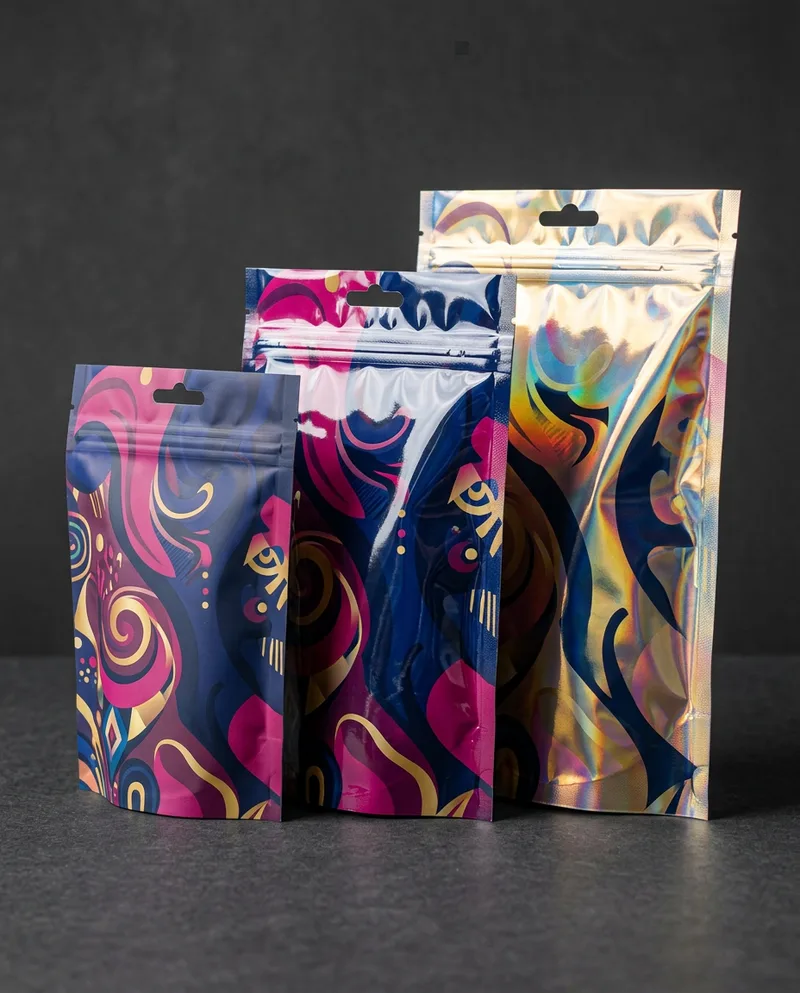
Why bag artwork is different from label artwork
A label is flat. A printed mylar bag is not. Your design gets wrapped around a three dimensional pouch, crossed by heat seals, interrupted by a zipper, folded into a gusset and sometimes punched with a hang hole or fitted with a valve. Artwork that looks perfect on a monitor can come off the press with a logo sliced by a seal or a barcode hiding in the bottom fold.
The good news is that almost every problem is preventable before anything is printed. This guide walks through the files, the dieline, colour, the finishing layers and the proof, in the order you’ll actually deal with them. It applies whether you’re ordering custom mylar bags for snacks, coffee bags with a valve or child resistant bags.
Start with the dieline, not the design
A dieline is the flat template of your bag. It shows the exact size of every panel and marks the areas that need special care. Ask your printer for the dieline for your exact bag style and size before your designer opens a blank canvas. A stand up pouch, a flat bottom bag and a side gusset bag all unfold very differently, and a dieline for a 5 x 8 inch pouch will not fit a 6 x 9.
A typical bag dieline marks:
- Trim or cut line: the final edge of the bag.
- Bleed: extra artwork beyond the cut line so no thin white edge appears if the cut drifts slightly. Your dieline states how much; follow it exactly.
- Seal areas: the bands along the edges and top where the film is heat sealed. Artwork prints there, but the texture of the seal can distort fine detail.
- Zipper line: the strip where the reclosable zipper sits. Text that crosses it is hard to read.
- Tear notch and hang hole: small cut outs that will remove whatever is printed under them.
- Gussets: the bottom of a stand up pouch or the sides of a side gusset bag. These fold, so treat them as secondary panels.
- Valve position: on coffee bags, the spot where the one way valve is fitted.
- Safe zone: the inner area where important text and logos are guaranteed to stay clear of seals, folds and cuts.
Keep logos, product names, ingredient lists, legal text and barcodes inside the safe zone. Let background colour and patterns run out to the bleed.
Set up the file properly
Most printers want a print ready PDF or an Adobe Illustrator file built on top of the dieline, with the dieline on its own layer that is set not to print. A few habits save a round of corrections:
- Work at 100% size. Build artwork at the real dimensions of the bag so nothing gets scaled later.
- Use vector art where you can. Logos, text and simple illustrations should be vector, so they stay sharp at any size.
- Use high resolution photos. Photos should be at least 300 dpi at their final printed size. A web image stretched across a pouch will print soft or blocky.
- Convert or embed fonts. Outline your fonts or embed them in the PDF so the printer’s system doesn’t substitute a different typeface.
- Watch minimum sizes. Very thin lines and tiny text can fill in or break up on film. Ask your printer for their minimum line weight and type size, and be especially careful with fine reversed out (white on dark) text.
- Name your SKUs clearly. If you print several flavours or strains, supply one file per design and name each file the way it should be ordered.
Colour: CMYK, Pantone and what the film does to them
Set up artwork in CMYK unless your printer tells you otherwise. Screens show colour in RGB, which can display bright greens, blues and oranges that ink cannot reproduce, so a colour that glows on your laptop can look duller in print.
If a brand colour has to be precise, give its Pantone reference. Digital printing gets close to most Pantone colours. Large runs printed by rotogravure can use dedicated spot colour inks when a colour has to match exactly. Either way, ask before printing whether any colour is likely to shift.
The film under the ink changes the result too:
- White ink on metallized or clear film. Printing inks are partly transparent. On a silver metallized film, colours printed without a white layer underneath take on a metallic sheen. That can look great on purpose, but if you want solid, opaque colour you need a white underlayer. Designers usually supply a separate white ink layer or mark where white should go and where the film should show through.
- Kraft paper. Brown kraft darkens and warms every colour printed on it. Pale colours and fine detail can get lost. Bold, simple designs work best.
- Clear windows. A window is simply an area with no ink and no white. Mark it on its own layer so it’s unmistakable.
Finishes need their own layers
Matte, soft touch and gloss usually cover the whole bag, so they don’t need artwork of their own. Selective effects do. A spot UV gloss on your logo, a matte panel on an otherwise glossy bag, or holographic areas all need a separate layer that shows exactly where the effect goes, usually as solid black shapes in a spot colour named for the effect. Keep those layers perfectly aligned with the artwork below. Our custom mylar bags page lists the finishes we offer.
What must be on the bag in Canada
Artwork is also where your legal label lives, and in Canada the rules depend on what you are selling. This is general information, not legal advice, so confirm the specifics for your own product.
- Food. For consumer prepackaged food, the Canadian Food Inspection Agency says mandatory label information must appear in both English and French, and the net quantity must be declared in metric units on the principal display panel. The CFIA labelling requirements checklist is the best place to start, and our food labelling checklist summarizes the common items.
- Cannabis. Cannabis packaging and labelling are governed by the federal Cannabis Regulations, which go much further, including child resistant containers and strict limits on branding. See our notes on CR rules in Canada.
- Non-food consumer products and pet food. These generally fall under the Consumer Packaging and Labelling Act, administered by the Competition Bureau.
Plan space for all of this from the start. Bilingual text takes room, and it’s far easier to design for it than to squeeze it in after the front panel is approved.
Barcodes that scan
Retailers will reject product that won’t scan, so treat the barcode as a technical element rather than decoration. Print it dark on a light, solid background, keep the blank margin around it clear, avoid seals, gussets and curved areas, and don’t shrink it below the size your barcode provider recommends. Test scan the barcode on the proof, and on the first finished bags if you can.
Proofs: the last chance to catch mistakes
Before anything goes to press you should receive a proof. We send a digital proof for approval on every order, and nothing is printed until you sign off. Check it slowly, ideally with a second person who didn’t design it:
- Is every word spelled correctly, in both languages?
- Are the net quantity, ingredients and other legal details correct for this exact SKU?
- Is all important content inside the safe zone and clear of the zipper, notch and hang hole?
- Are the white ink, window and finish layers where you expect them?
- Is the barcode the right number for this product?
- Does each file name match the SKU it will be ordered as?
If colour is critical, ask whether a printed sample or colour proof is possible before the full run. It may add time, but it is cheaper than reprinting.
A quick pre-flight checklist
- Dieline for the exact bag style and size, with bleed and safe zone
- Artwork at 100% size in CMYK, with Pantone references for critical colours
- Photos at 300 dpi or more at final size; fonts outlined or embedded
- Separate layers for white ink, windows and spot finishes
- Mandatory label information for your product category, in the right languages
- Barcode on a light background, away from seals and folds
- One clearly named file per SKU
Not sure what size or style your bag should be before you start designing? Use our mylar bag size guide, then request a quote and we’ll send the dieline for the bag you choose.
Common questions
Don’t see yours? Ask it in the quote form and a real person will answer.
What file format do printers want for mylar bag artwork?
Usually a print ready PDF or an Adobe Illustrator file built on the dieline for your exact bag, with logos and text as vector art, fonts outlined or embedded, and photos at 300 dpi or more at final size.
Do I need white ink on a metallized mylar bag?
If you want solid, opaque colour, yes. Printing inks are partly transparent, so colours printed straight onto silver metallized or clear film take on a metallic or see-through look. A white underlayer makes them opaque.
Does my mylar bag label need to be bilingual in Canada?
For consumer prepackaged food, the CFIA says mandatory label information must appear in both English and French, with a metric net quantity. Cannabis, pet food and other products have their own rules, so confirm what applies to yours.
How much bleed should mylar bag artwork have?
Use exactly the bleed shown on the dieline your printer supplies for your bag. Background colours and patterns should run out to that line, while text and logos stay inside the safe zone.
Ready to see pricing?
Send us a few details and we’ll come back with options and real numbers. No pressure and no endless back and forth.